 MyBlueBerry
A baby tracker for one hand, half-asleep, in the dark
There is no server. Your baby's data never leaves your iCloud.
Every other tracker routes your baby's day through someone's servers. MyBlueBerry runs none. Everything you log lives on your device and in your own iCloud — nowhere else.
Log a feed, diaper, nap — or that first taste of avocado — in one or two taps. Built dark-mode-first for a dim nursery, on Apple's own iCloud, signed in only with Apple.
The app, in the moments that matter
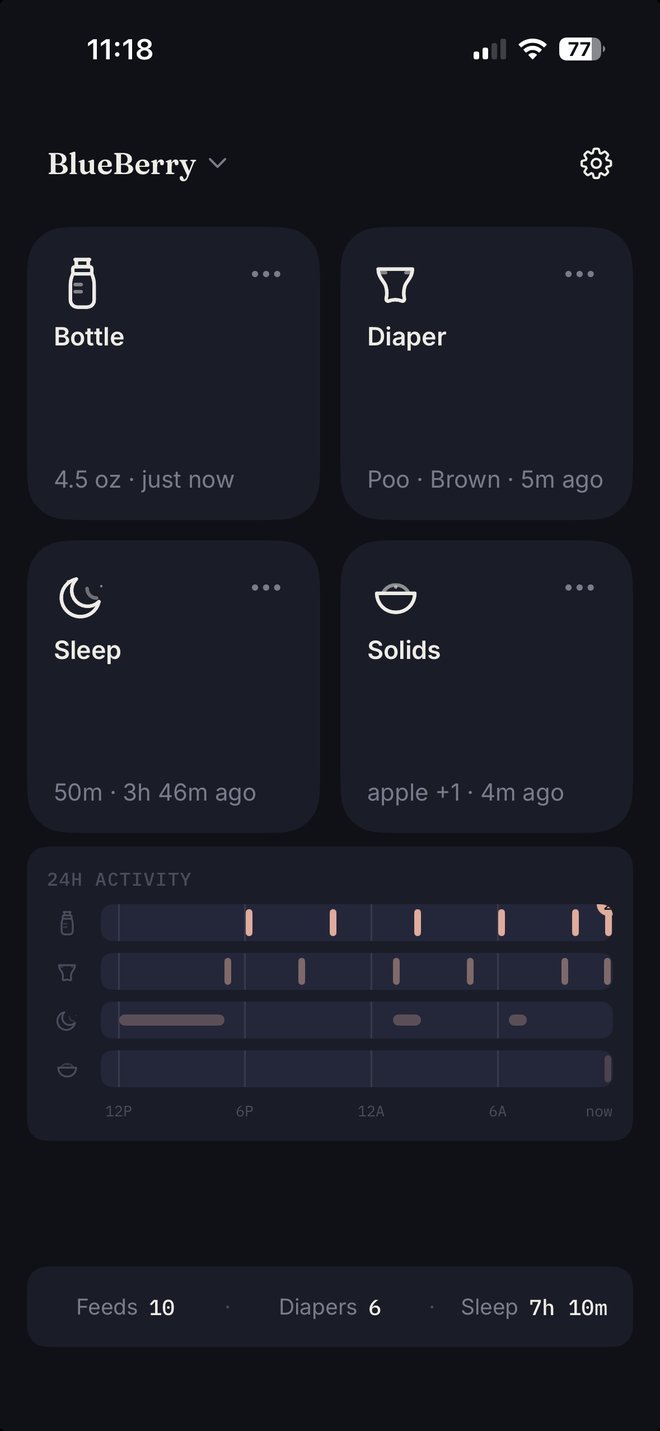
Open it and the big tiles are already there — only the ones your baby needs right now. The common case is two taps from a cold launch, because the app remembers what you logged last time and time always defaults to now.
One screen
The whole day, one glance
Big tiles that remember the last log, your last 24 hours in quiet lanes, and running totals always on screen. Tracking siblings? The name at the top switches children in one tap.
Two taps
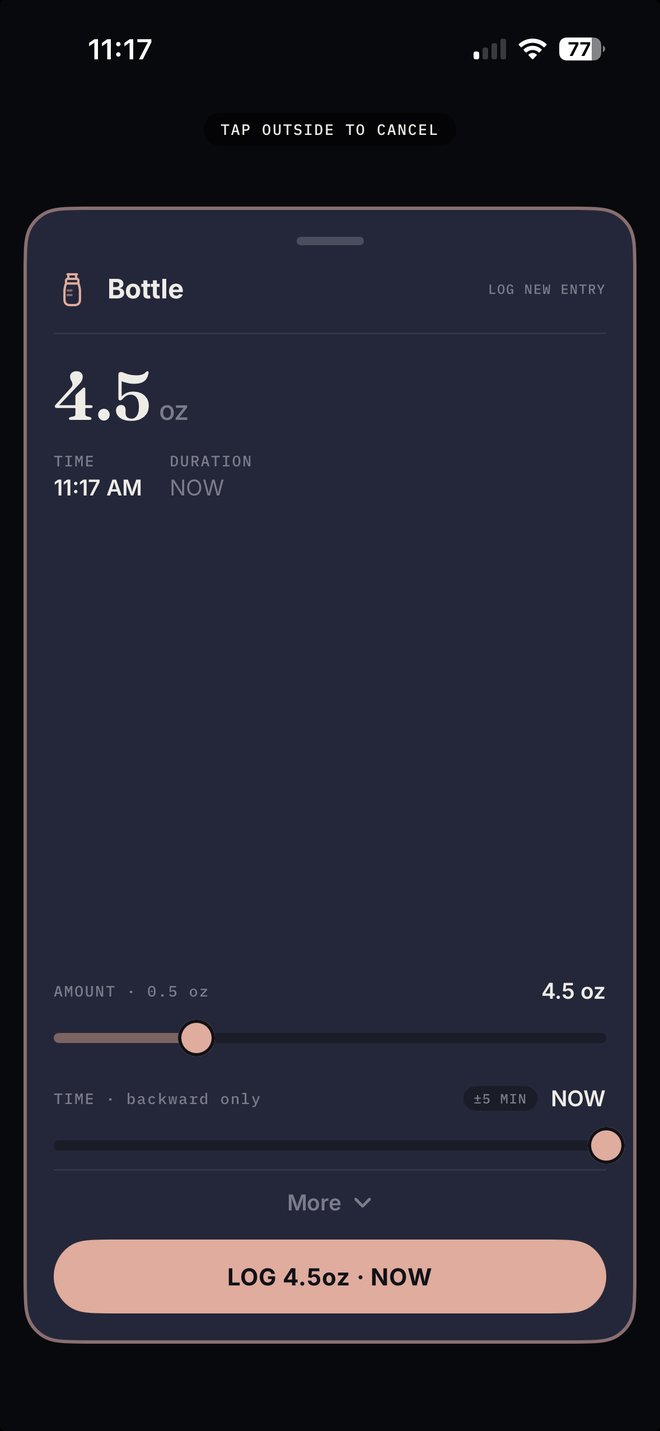
Tap Bottle, tap LOG
The amount is remembered from last time; slide to change it. Time defaults to now — slide it back if you're logging after the fact. Every activity gets the same fast editor.
Solids
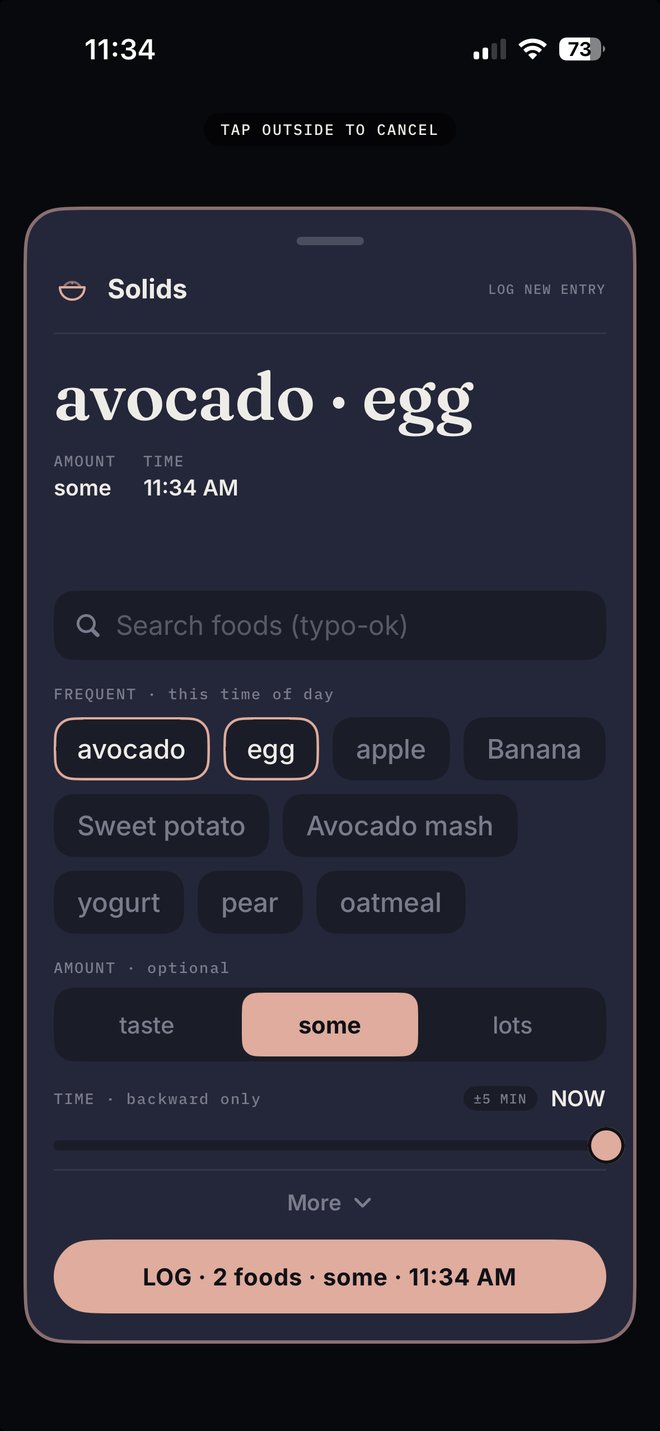
From first bottle to first bite
A Solids tile appears when your baby reaches solids age — or whenever you decide they're ready. Search foods (typos okay), tap the chips it already knows from this time of day, and note how each food went.
24-hour snapshot
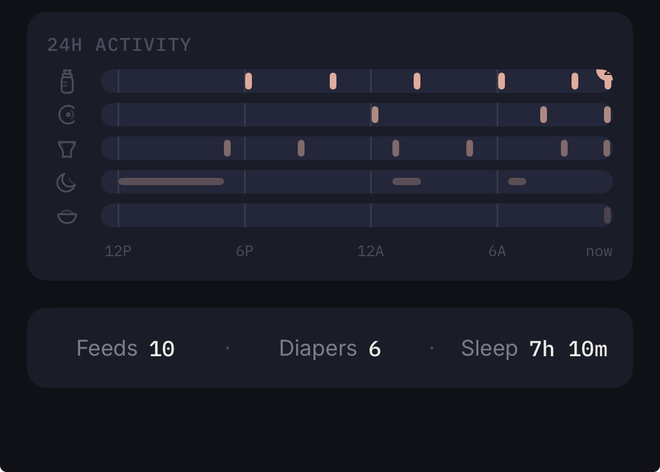
Four seconds tells you the day
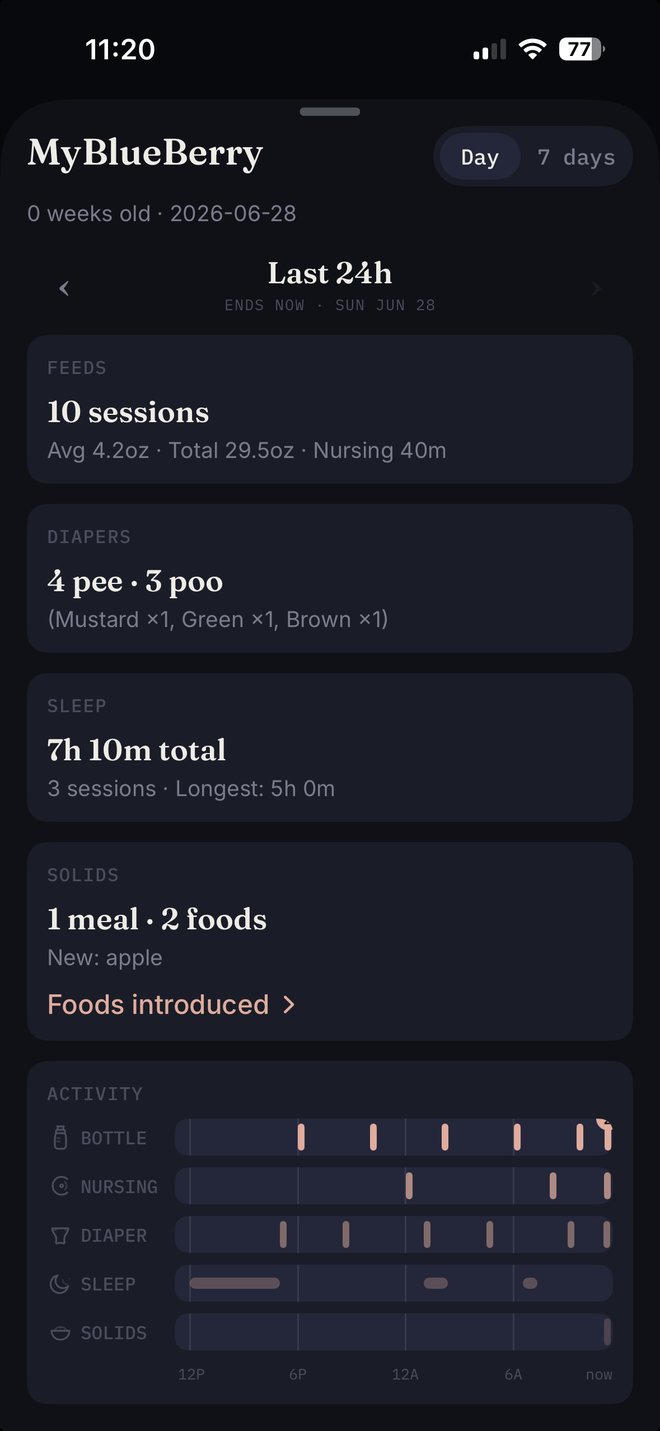
Every feed, nursing session, diaper, nap, and meal of the last 24 hours in one strip. Tap a lane to inspect an entry — Edit is right there if something needs correcting.
Live Activity
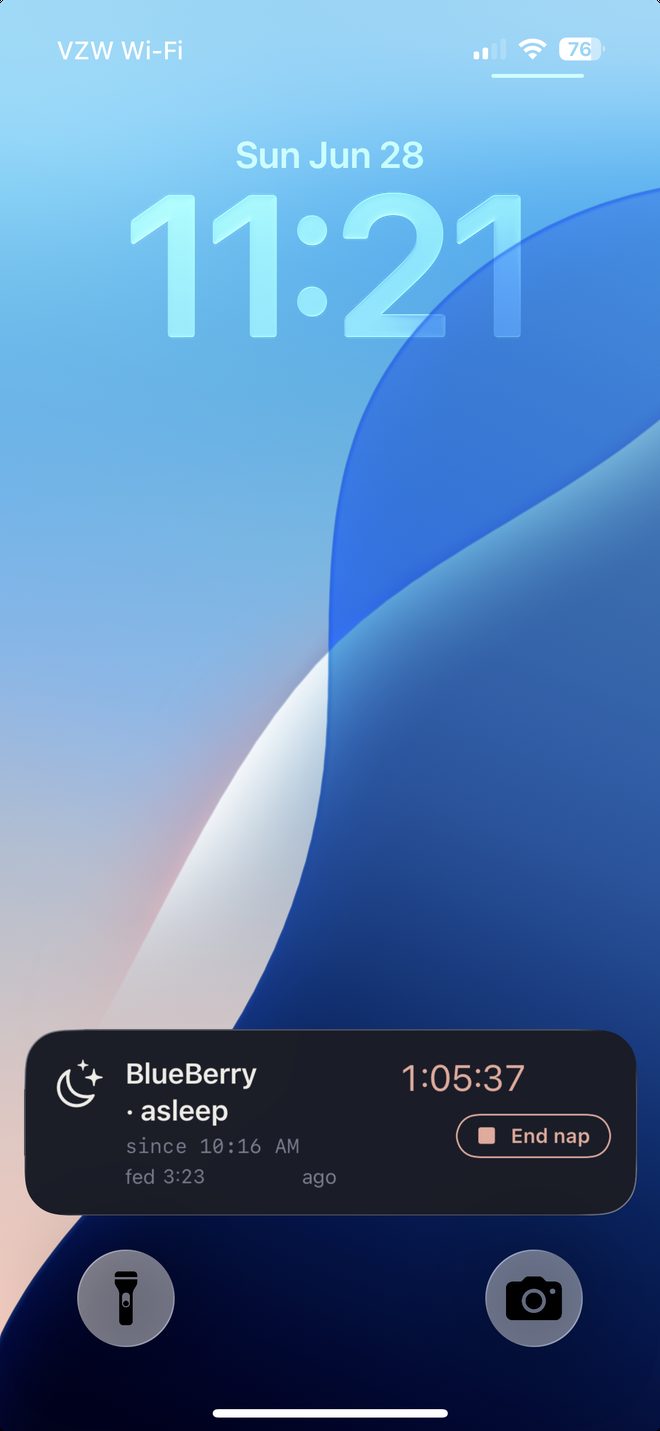
A nap timer that follows you
Start a sleep and it keeps counting on your Lock Screen and Dynamic Island — end the nap right from there, no unlock, no notification to dismiss.
One tap
A report card for the pediatrician
Feeds, diapers with stool colors, sleep, and solids — by the day (page back through any day) or the whole week. Built to be screenshotted and texted to your doctor.
Track together
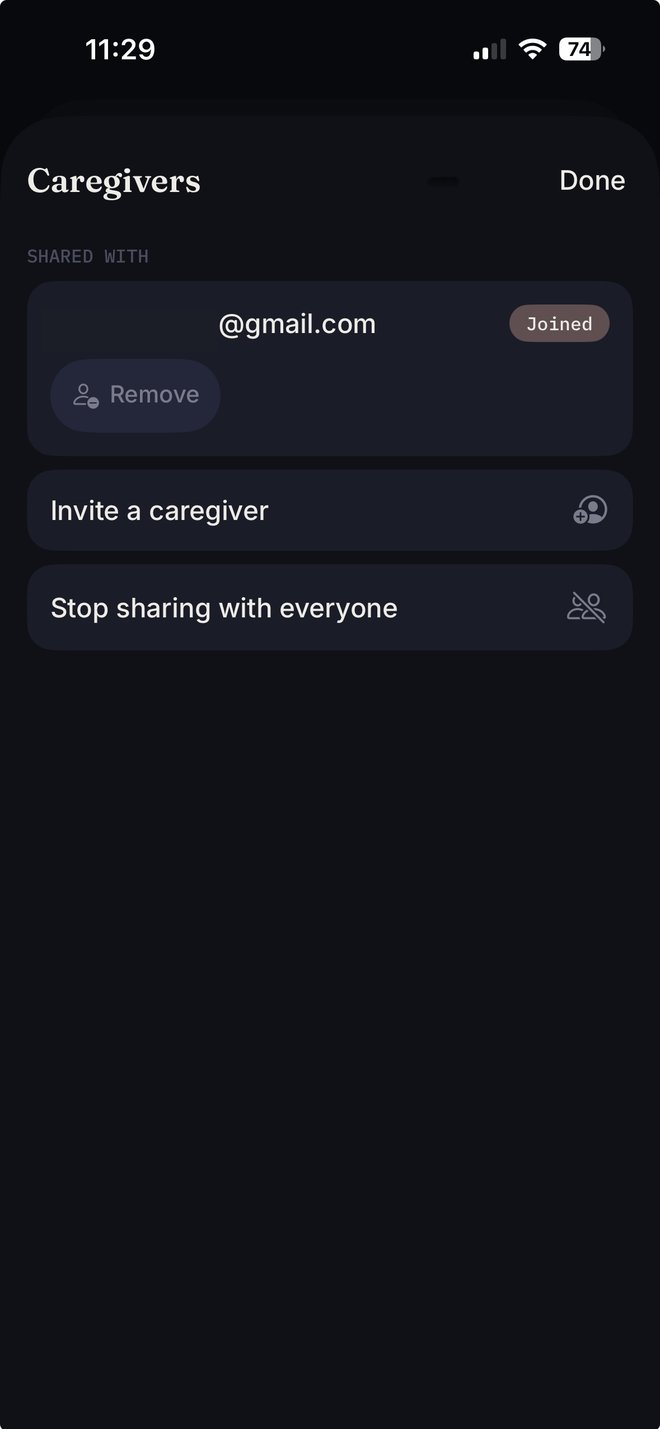
One log, every caregiver
Invite your co-parent or a caregiver — everyone sees and logs the same entries, synced account to account through your iCloud, never through us. Part of MyBlueBerry Plus.
Private by design — not by promise
We couldn't read your data if we wanted to.
This is the part most apps put in the fine print, so we put it first: we run no servers. We checked how the popular baby trackers actually handle data. Here's the difference that matters.
The usual way
To sync across devices or share with a co-parent, other trackers send your baby's feeds, diapers and sleep to their own servers — or to Firebase, AWS, analytics SDKs, even ad partners. You're trusting their server, and whoever they share it with.
The MyBlueBerry way
There is no server to trust. Your data lives on your device and in your private iCloud database (Apple's CloudKit), behind Sign in with Apple. Share with a co-parent and it goes account to account through iCloud — only the person you choose, never through us. No ads, no analytics, no third-party SDKs.

Our actual App Store privacy label: Data Not Collected — because truthfully, none is.
Delete the app and its iCloud data and every trace is gone — we hold no copy. Read the full privacy policy; it's one page, in plain language.
Made for the hour you actually use it
The best session with MyBlueBerry lasts about four seconds — then you put the phone down and go back to sleep. That's the whole product.
Minimum taps. Always.
Bottle to logged in two taps from a cold launch. No account wall, no tour, no paywall standing between you and the log.
Calm, not a dashboard
Dark by default for a dim nursery, big targets for a thumb working alone, haptics so you can log without fully opening your eyes. No streaks, no nags.
Siblings welcome
Track more than one little one — each child keeps a completely independent log, switching takes a single tap from the top of the screen, and an invited caregiver sees every child you track: one share covers the whole family.
Quiet reminders
Ask for a nudge if it's been quiet too long — per activity, per child. Reminders are scheduled on your device and never leave it. Off by default, like everything that could nag you.
The tracker that respects the hour.
Free to log, forever — every feed, diaper, nap, and meal, for every child. Private because there's nothing to be private about: we never have your data in the first place. Caregiver sharing is the one thing that's paid, as MyBlueBerry Plus.
Coming from Huckleberry? Import your CSV from Settings and keep the whole history.